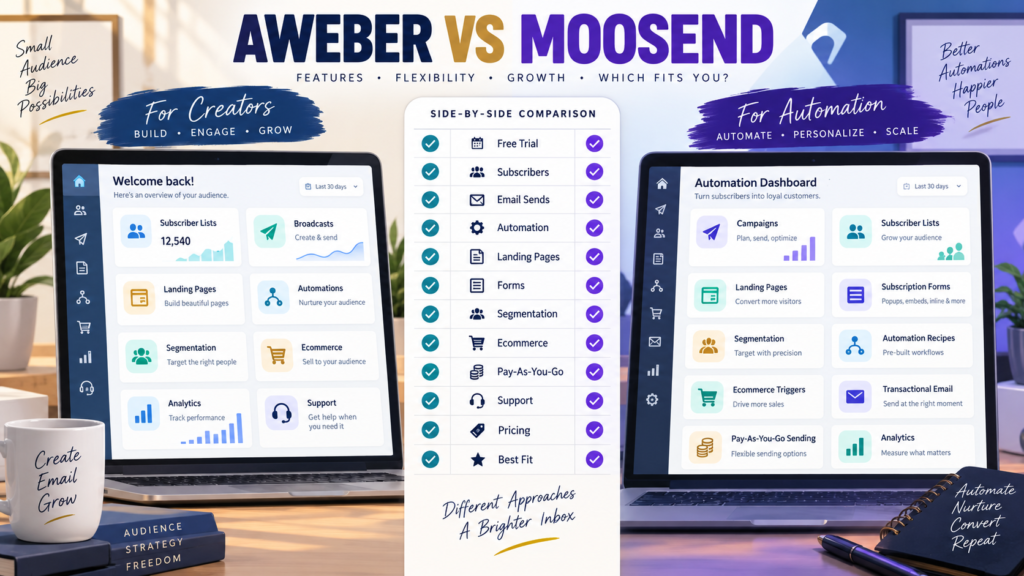
AWeber and Moosend both provide the basic tools a small online business expects from an email-marketing platform.
Both can help you:
- Collect subscribers.
- Send email campaigns.
- Build signup forms.
- Create landing pages.
- Segment an audience.
- Automate follow-up.
But the platforms approach pricing and workflow differently.
AWeber offers a traditional creator-oriented email-marketing environment with Free, Lite, Plus, and Unlimited plans.
Moosend currently offers a 30-day trial followed by subscriber-based Pro or Enterprise subscription options, plus a pay-as-you-go credit system for businesses that do not want a recurring subscription.
That creates a useful buying question:
Do you want a conventional autoresponder plan with a permanent free entry tier, or a platform that also offers pay-as-you-go sending flexibility?
Review Methodology: This comparison is based on official AWeber and Moosend documentation reviewed on September 6, 2026. No firsthand product testing or personal-use claim is made. Pricing, promotions, subscriber tiers, limits, and features may change. Verify the current checkout before purchasing.
AWeber’s Current Plan Structure
AWeber currently documents four plan families:
- Free.
- Lite.
- Plus.
- Unlimited.
Its Free plan currently supports up to:
500 subscribers
and:
3,000 emails per month
with one list profile and one workflow automation.
AWeber Lite currently starts at:
$15 per month
or:
$150 annually
at the 500-subscriber tier.
Plus currently starts at:
$30 per month
or:
$240 annually
at that same subscriber level.
AWeber Unlimited is currently listed at:
$899 per month.
AWeber official pricing documentation
Moosend’s Current Plan Structure
Moosend’s official documentation currently describes:
30-Day Free Trial
New users can test its email-marketing features before purchasing.
Subscription Plan
Moosend offers Pro and Enterprise subscription structures, with subscriber limits determining the account level.
Credits
Businesses can purchase email credits instead of paying a recurring subscription. One credit equals one email sent to one recipient, and Moosend says the credits do not expire under its current documentation.
Moosend subscription and billing documentation
Because Moosend’s current public documentation emphasizes plan structure more consistently than one universal entry price, verify the current checkout for your subscriber count rather than relying on an older promotional price.
Free Plan vs Free Trial
This is one of the clearest differences.
AWeber
Current Free plan:
- No monthly subscription cost.
- Up to 500 subscribers.
- 3,000 monthly emails.
- One list profile.
- One workflow automation.
Moosend
Current documentation describes a:
30-day free trial
rather than a permanent free email-marketing tier.
A beginner who wants to operate indefinitely without paying may therefore find AWeber’s Free plan more attractive.
A user who simply wants to evaluate the full Moosend workflow before choosing a paid plan may find the 30-day trial sufficient.
Email Campaigns
Both platforms support traditional email campaigns.
Common uses include:
- Newsletter.
- Product announcement.
- Affiliate promotion.
- Educational email.
- Customer update.
For basic broadcasting, either platform can serve a small business.
The larger differences appear when you examine:
- Sending allowances.
- Automation.
- Segmentation.
- Forms.
- Landing pages.
- Billing structure.
AWeber Sending Limits
AWeber’s current documentation ties sending allowances to subscriber level.
Lite currently allows approximately:
10 times the subscriber limit per month.
Plus allows:
12 times the subscriber limit.
For example, the documented 1,000-subscriber Lite tier allows 10,000 monthly sends.
A business sending one newsletter per week may be comfortable within that structure.
A high-frequency sender should calculate actual volume.
Moosend Sending Structure
Moosend’s subscription documentation describes its subscription plans primarily around active subscriber limits.
It also offers pay-as-you-go credits, where each email sent consumes one credit.
The pay-as-you-go option may appeal to:
- Seasonal businesses.
- Occasional campaign senders.
- Organizations that do not need email every month.
A frequent sender may prefer a normal subscriber-based subscription.
Landing Pages
Both platforms support landing pages.
Moosend’s current documentation says users can create landing pages from templates or build their own with its landing-page editor.
AWeber also includes landing-page capabilities, with paid tiers expanding the number and functionality available.
For a beginner funnel:
Article → Landing Page → Signup → Welcome Email
either platform can provide the main components.
Subscription Forms
Moosend currently supports several subscription-form formats including:
- Pop-up.
- Inline.
- Floating bar.
- Floating box.
- Fullscreen.
- Promotional pop-up.
Its current paid subscriptions allow up to 50 published forms according to its documentation.
AWeber also provides forms and list-building tools.
If forms are a major part of your strategy, compare:
- Number of forms.
- Embed options.
- Display behavior.
- Mobile preview.
- Targeting.
Automation
AWeber’s automation structure is straightforward for conventional autoresponder workflows.
Example:
Signup → Welcome Email → Follow-Up → Offer
Its Free plan includes one workflow automation, with broader automation capability on paid tiers.
Moosend also supports automation workflows and provides pre-built automation recipes across categories such as onboarding, ecommerce, reminders, segmentation, cross-sell, and re-engagement.
Both can automate email.
The question is which workflow you find easier to build and maintain.
Segmentation
Moosend’s current documentation provides segmentation based on subscriber data and campaign behavior such as:
- Custom fields.
- Opens.
- Clicks.
- Other recorded subscriber activity.
AWeber also supports segmentation, with its Plus plan designed for broader segmentation and analytics capability.
For a beginner with one list and one lead magnet, advanced segmentation may not matter much yet.
For a larger list, it can become important.
Ecommerce Automation
Moosend supports ecommerce-related automation triggers, including actions based on product purchases and website behavior when the relevant tracking and connections are configured.
It also provides transactional-campaign options using SMTP or API for messages such as:
- Order confirmations.
- Receipts.
- Password resets.
- Order-status messages.
- Dropped-basket emails.
AWeber provides ecommerce-related functionality as well, including selling capabilities and purchase-based list organization.
If ecommerce is central to the business, compare the exact store integration you use.
AWeber May Fit Better If…
Consider AWeber when:
- You want a permanent free starting tier.
- You prefer a traditional autoresponder.
- You want straightforward list building.
- You send predictable monthly email volume.
- Landing pages and email campaigns are your main needs.
- You value a long-established creator-focused email workflow.
My AWeber review for beginners provides more background.
Affiliate Disclosure: This article contains affiliate links. If you purchase through one of these links, I may earn a commission at no additional cost to you. Affiliate compensation does not determine the conclusions or recommendations presented in this article.
If AWeber matches your requirements, you can review the current AWeber offer through this approved partner link.
Moosend May Fit Better If…
Consider Moosend when:
- A 30-day trial is sufficient for evaluation.
- You want flexible subscription or credit-based billing.
- Automation recipes are attractive.
- Segmentation matters.
- Multiple form formats matter.
- Ecommerce-triggered automation may be useful.
- Transactional email capability is relevant.
The Pay-As-You-Go Question
This is a meaningful Moosend difference.
Imagine a business emailing only four times per year.
A recurring monthly subscription may not feel efficient.
Credits could offer another approach.
However, calculate the total cost based on real send volume.
A frequent sender could consume credits quickly.
Compare AWeber With MailerLite Too
If your main concern is beginner usability and conventional email marketing, my AWeber vs MailerLite comparison provides another useful alternative.
Compare GetResponse With AWeber
If you want a broader marketing platform with additional funnel, automation, webinar, or creator features, see GetResponse vs AWeber.
Calculate Your Real Requirements
Before choosing, write down:
Subscribers: 1,000
Emails per subscriber each month: 6
Monthly sends: approximately 6,000
Automations: 2
Landing pages: 3
Forms: 3
Ecommerce: No
Transactional email: No
Now compare the actual plan required.
This is much more useful than comparing the lowest advertised prices.
A Simple Scorecard
Score each platform for:
- Free entry.
- Trial.
- Subscriber limits.
- Email sending.
- Campaign creation.
- Automation.
- Segmentation.
- Landing pages.
- Forms.
- Ecommerce.
- Transactional email.
- Support.
- Billing flexibility.
- Total cost.
Only score features you expect to use.
Conclusion
AWeber and Moosend can both support a beginner or small online business, but they offer different entry models.
AWeber provides a permanent Free plan for a small list and traditional paid tiers that scale with subscribers and monthly sending allowances.
Moosend provides a 30-day trial, subscriber-based Pro and Enterprise subscriptions, and a pay-as-you-go credit option for businesses that prefer another billing model.
AWeber may fit better if you want a familiar autoresponder with a permanent free starting tier.
Moosend may fit better if flexible billing, automation recipes, segmentation, varied signup forms, and ecommerce-oriented automation are higher priorities.
Do not choose from one starting price.
Compare the plan required for:
Your list size → Your email frequency → Your automations → Your forms → Your ecommerce needs
That is the version of the comparison that matters.