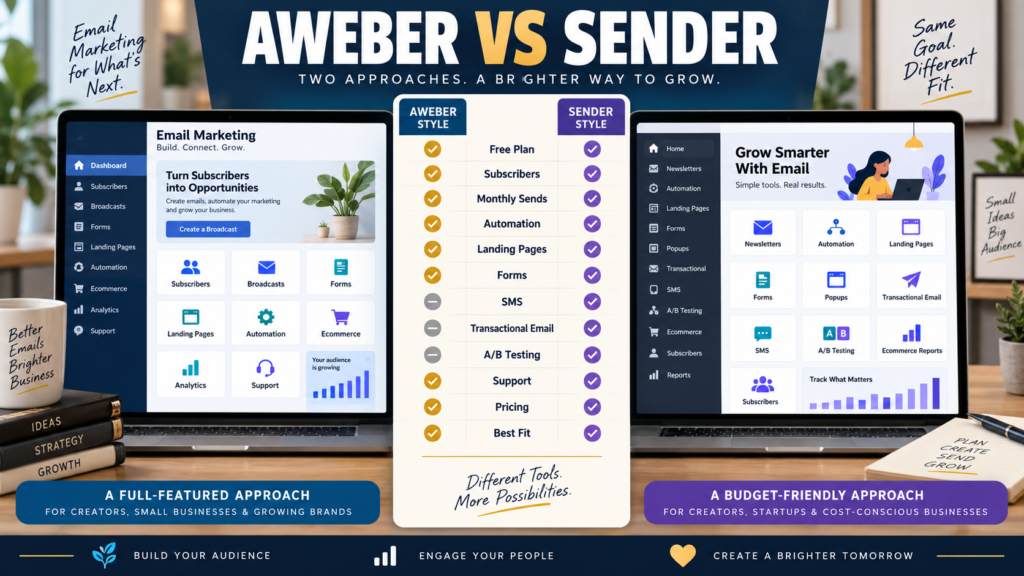
AWeber and Sender can both handle the basic jobs of an email-marketing platform.
Both can help you:
- Build a subscriber list.
- Send newsletters.
- Create signup forms.
- Automate follow-up.
- Build landing pages.
But their current free plans and pricing structures make them quite different choices.
AWeber is an established traditional email-marketing platform with Free, Lite, Plus, and Unlimited plans.
Sender is positioned as a lower-cost email and SMS platform with a notably larger current free allowance plus transactional email and automation capabilities.
The practical question is:
Do you value AWeber’s traditional creator-focused email ecosystem and established support model—or Sender’s larger free allowance and lower current entry pricing?
Review Methodology: This comparison is based on official AWeber and Sender information reviewed on September 7, 2026. No firsthand product testing or personal-use claim is made. Pricing, promotional discounts, subscriber limits, sending allowances, and features may change. Verify the current checkout before purchasing.
AWeber’s Current Free Plan
AWeber’s current documentation lists a Free plan supporting up to:
500 subscribers
and:
3,000 emails per month.
It currently includes one list profile and one workflow automation.
That can be enough for someone building a very small list.
Sender’s Current Free Plan
Sender currently advertises a Free Forever plan supporting up to:
2,500 subscribers
and:
15,000 emails per month.
Its current free plan includes:
- Email newsletters.
- Email automation.
- Landing pages.
- Signup forms and popups.
- Transactional email.
Sender branding remains on free-plan messages.
This is a substantial difference in raw free-plan capacity.
Free Capacity Is Not the Whole Decision
Sender’s larger free limits are attractive.
But the best platform should still be evaluated on:
- Workflow.
- Support.
- Integrations.
- Automation.
- Future pricing.
- Ecommerce needs.
- Sending frequency.
A larger free plan can become expensive later if the paid system does not fit the business.
AWeber Lite and Plus
AWeber’s current documentation shows paid pricing scaling with subscriber capacity.
At smaller list sizes, Lite and Plus provide progressively broader feature access and higher sending allowances.
AWeber’s current documentation describes Lite as allowing roughly 10 times the subscriber plan limit in monthly sends, while Plus allows roughly 12 times the subscriber limit.
That means a 5,000-subscriber list and a 50,000-subscriber list should not be compared using only the entry price.
Sender Standard
Sender’s current pricing page displays Standard starting at approximately:
$7 per month
under its present promotional annual-billing display for 1,000 subscribers.
At the shown 1,000-subscriber configuration, Standard currently includes up to:
12,000 emails per month.
It adds features including:
- No Sender branding.
- SMS messaging.
- Unlimited landing pages.
- A/B testing.
- Ecommerce reporting.
Promotions can change, so treat the displayed amount as current pricing—not a permanent price.
Sender Professional
Sender currently displays Professional starting at approximately:
$14 per month
under the same promotional annual configuration for 1,000 subscribers.
It increases the displayed sending allowance to:
24,000 emails per month
and adds features such as:
- Advanced automation.
- Advanced reports.
- Priority support.
- Additional seats.
- Expanded SMS benefits.
Again, verify the current subscriber slider and checkout.
Automation
Both platforms support automation.
AWeber
AWeber is built around traditional workflows such as:
Signup → Welcome Campaign → Follow-Up → Offer
Its Free plan currently includes one workflow automation, with paid plans expanding automation capability.
Sender
Sender currently includes email automation even on its Free plan and advertises unlimited automation and segmentation in its overall pricing presentation.
Professional adds more advanced workflow capability.
A beginner should compare the exact automation they want to build.
Landing Pages
Both products support landing pages.
Sender’s current Free plan includes landing pages.
Its Standard plan currently advertises unlimited landing pages plus custom-domain capability.
AWeber also includes landing-page creation as part of its email-marketing environment.
If your funnel is:
Blog → Landing Page → Email Signup → Welcome Series
either platform can potentially support the core workflow.
Signup Forms and Popups
Sender’s current Free plan explicitly includes:
- Signup forms.
- Popups.
AWeber provides form-building tools as well.
Compare:
- Embedded forms.
- Popup behavior.
- Branding.
- Mobile usability.
- Targeting.
- Integrations.
Transactional Email
This is one important Sender distinction.
Sender currently includes transactional email on its Free plan.
Transactional messages can include system-triggered communications such as:
- Order confirmations.
- Password resets.
- Account notifications.
Do not confuse transactional email with a newsletter.
They serve different purposes.
If transactional email matters to your business, Sender deserves extra consideration.
SMS
Sender Standard currently includes SMS messaging.
Professional expands SMS-related benefits.
AWeber’s main positioning remains centered much more strongly on email.
If you want integrated email and SMS, that may affect your choice.
A/B Testing
Sender currently lists A/B testing and experiments on Standard and above.
AWeber also offers testing and optimization capabilities depending on plan and feature.
Do not choose from the presence of the phrase “A/B testing.”
Ask what you intend to test:
- Subject line?
- Email content?
- Signup page?
- Automation path?
Ecommerce
Sender’s current Standard plan includes advanced ecommerce reports, while the platform also supports ecommerce-oriented automation.
AWeber provides ecommerce-related capabilities and can be used to promote and sell digital offers.
For a serious ecommerce business, compare the specific store platform you use and the depth of each integration.
Support
Support may be one of the less obvious differences.
Sender currently lists priority support on Professional and phone support as part of Enterprise.
AWeber has long positioned customer support as an important part of its service and maintains several support pathways depending on current plan and availability.
A beginner who strongly values live assistance should verify the exact support channels available on the plan being considered.
AWeber May Fit Better If…
Consider AWeber when:
- You want a conventional autoresponder workflow.
- A smaller permanent free plan is enough.
- You value an established creator-oriented email platform.
- You want familiar list and campaign management.
- Email is the primary communication channel.
- Support reputation and longevity matter to your decision.
My AWeber review for beginners provides a deeper standalone review.
Affiliate Disclosure: This article contains affiliate links. If you purchase through one of these links, I may earn a commission at no additional cost to you. Affiliate compensation does not determine the conclusions or recommendations presented in this article.
If AWeber fits the workflow you need, you can review the current AWeber offer through this approved partner link.
Sender May Fit Better If…
Consider Sender when:
- You want a larger free subscriber allowance.
- You need more free monthly email sends.
- Transactional email matters.
- SMS matters.
- Low-cost paid plans are attractive.
- A/B testing matters.
- Ecommerce reporting is useful.
Compare AWeber With MailerLite
If your main decision is around affordable beginner email marketing, the AWeber vs MailerLite comparison provides another useful reference.
Compare AWeber With GetResponse
If you want a broader marketing environment including additional automation and marketing tools, see GetResponse vs AWeber.
Calculate Monthly Sends
Do not compare only subscriber limits.
Suppose you have:
2,000 subscribers
and send:
8 emails per month.
That is:
16,000 sends per month.
Now compare each platform’s allowance at the relevant tier.
A free plan that allows enough subscribers but too few monthly sends may not fit.
Calculate Future Cost
Also estimate:
- 1,000 subscribers.
- 5,000 subscribers.
- 10,000 subscribers.
Your list may grow.
A platform that is cheaper today may not remain cheaper at a larger tier.
A Simple Scorecard
Score each platform for:
- Free subscribers.
- Free monthly sends.
- Paid pricing.
- Automation.
- Landing pages.
- Signup forms.
- Transactional email.
- SMS.
- A/B testing.
- Ecommerce.
- Support.
- Integrations.
- Ease of use.
Weight the features you actually need.
Conclusion
AWeber and Sender can both handle the foundational email-marketing needs of a small online business.
AWeber provides a traditional email-marketing environment with an established Free, Lite, Plus, and Unlimited structure.
Sender currently offers a much larger free subscriber and sending allowance, plus email automation, landing pages, forms, transactional email, and low-cost paid tiers.
For a beginner who prioritizes maximum free capacity and low current pricing, Sender deserves serious consideration.
For a user who prefers AWeber’s traditional creator-focused email environment and established operating history, AWeber may remain the better fit.
Do not choose based only on:
500 vs 2,500 subscribers.
Compare:
Subscribers → Monthly Sends → Automations → Support → Integrations → Future Cost
That gives you a much stronger buying decision.