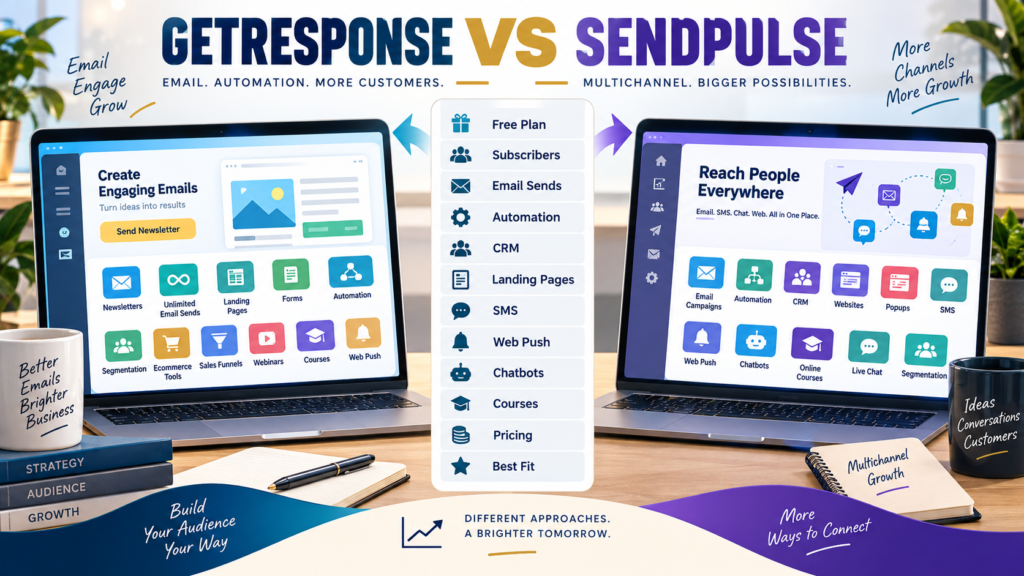
GetResponse and SendPulse both go beyond basic newsletters.
Each can support:
- Email marketing.
- Automation.
- Lead capture.
- Subscriber management.
- Marketing workflows.
But their broader ecosystems have developed in different directions.
GetResponse is strongly centered around email marketing, automation, ecommerce, funnels, webinars, and creator monetization.
SendPulse combines email with a broader multichannel collection of tools including CRM, SMS, web push, websites, chatbots, automation, online courses, and live chat.
That makes the key question:
Which collection of tools actually matches the business you want to run?
Review Methodology: This comparison is based on official GetResponse and SendPulse information reviewed on September 20, 2026. No firsthand product testing or personal experience is claimed. Pricing, subscriber allowances, promotional discounts, and features can change. Verify current checkout details before purchasing.
GetResponse Current Entry Pricing
GetResponse currently lists three standard plans:
Starter
$19/month
or:
$15.58/month equivalent when paid annually
Marketer
$59/month
or:
$48.38/month equivalent annually
Creator
$69/month
or:
$56.58/month equivalent annually
at the current entry configuration. Its standard paid plans currently include unlimited monthly email sends.
GetResponse Starter
Starter currently includes:
- Email marketing.
- Unlimited sends.
- Landing pages.
- Signup forms and popups.
- Basic segmentation.
- One custom automation workflow.
This makes it suitable for a relatively simple:
Lead → Welcome → Newsletter
business.
GetResponse Marketer
Marketer adds:
- Unlimited automation workflows.
- Advanced segmentation.
- Sales funnels.
- Abandoned-cart recovery.
- Promo codes.
- Product recommendations.
- Revenue tracking.
- Web push.
This is the stronger GetResponse tier for businesses using deeper ecommerce or behavioral marketing.
GetResponse Creator
Creator adds:
- Webinars.
- Course creator.
- Website builder.
- Paid newsletters.
- Content monetization tools.
That gives GetResponse a clear knowledge-business dimension.
SendPulse Free Email Plan
SendPulse currently offers a Free email-marketing plan supporting:
Up to 500 subscribers
and:
15,000 emails per month.
The current Free plan also includes:
- Email templates.
- Drag-and-drop editor.
- Subscription forms.
- Basic Automation features.
- Open and click analytics.
That can provide a practical starting point for a very small list.
SendPulse Standard
At the current displayed annual-billing configuration for up to 500 subscribers, SendPulse lists Standard at:
$9.60 per month
and includes:
- Unlimited emails.
- Static segmentation.
- A/B testing.
- Three users.
- Scheduled sending.
- Advanced Automation functionality.
- Payment processing in emails.
- Removal of SendPulse branding.
SendPulse Pro
SendPulse currently displays Pro at:
$11.52 per month
when billed annually for up to 500 subscribers.
Pro adds areas such as:
- Dynamic subscriber segmentation.
- Reengagement emails.
- Email-address verification.
- Up to 10 users.
- More advanced Automation features.
As always, pricing changes as list size increases.
Email Sending Models
Both platforms can offer high sending capacity on paid plans.
GetResponse currently advertises unlimited monthly sends across Starter, Marketer, and Creator.
SendPulse Standard currently advertises unlimited email sends within its subscriber-based subscription model.
That means the comparison is not simply:
Unlimited vs limited.
You also need to compare:
- Subscriber tier.
- Automation.
- Other tools.
- Annual cost.
SendPulse Has a Broader Multichannel Identity
SendPulse’s current platform includes tools across:
- Email.
- CRM.
- Websites.
- Chatbots.
- SMS.
- Web push.
- Courses.
- Automation.
- Popups.
- Live chat.
That is a very broad toolbox.
A business may find consolidation useful.
Another may prefer fewer systems and less interface complexity.
CRM
One obvious distinction is SendPulse’s integrated CRM.
If you want to manage:
- Deals.
- Sales pipeline.
- Customer records.
inside the same ecosystem as communication tools:
SendPulse deserves additional consideration.
GetResponse is more strongly positioned around marketing automation and contact management than a traditional standalone CRM pipeline.
SMS
SendPulse includes SMS as part of its wider multichannel platform.
GetResponse currently reserves SMS marketing for Enterprise rather than the normal Starter, Marketer, and Creator plans.
If SMS is important:
This difference matters.
Web Push
Both platforms support web-push capabilities within appropriate plan structures.
GetResponse includes unlimited web push beginning with Marketer under its current offer.
SendPulse also includes web push as one of its primary communication channels.
Chatbots
SendPulse currently includes chatbot-building as a major platform area.
This can support communication through messaging channels.
GetResponse does not center its standard product structure around chatbot automation in the same way.
If bots are part of your customer strategy:
SendPulse gains weight.
Courses
Both platforms now extend into courses.
GetResponse Creator includes course creation, student management at the applicable tier, webinars, and premium newsletters.
SendPulse also offers an online-course builder as part of its broader platform.
If courses are important, compare the actual learner experience instead of treating both feature labels as identical.
Webinars
GetResponse has a clear established webinar feature inside Creator.
If live webinar marketing is part of your plan:
That may favor GetResponse.
SendPulse’s strength lies more heavily in the broader combination of CRM and communication channels.
Ecommerce
GetResponse Marketer includes explicit ecommerce features such as:
- Abandoned cart recovery.
- Promo codes.
- Product recommendations.
- Revenue tracking.
For an ecommerce-focused business, those native workflows may be particularly useful.
Automation
Both platforms support automation.
GetResponse
Starter:
One workflow.
Marketer and Creator:
Unlimited workflows.
SendPulse
Free:
Basic Automation.
Standard:
Advanced Automation.
Pro:
Higher-level automation capability.
Your decision should depend on the real workflow you intend to build.
GetResponse May Fit Better If…
Consider GetResponse when:
- Email marketing is central.
- Ecommerce automation matters.
- Funnels matter.
- Webinars matter.
- Courses and paid newsletters matter.
- You want a strong email-first customer journey.
- You do not require an integrated CRM or chatbot platform.
Your verified GetResponse vs Klaviyo comparison provides another useful ecommerce-oriented comparison.
Affiliate Disclosure: This article contains affiliate links. If you purchase through one of these links, I may earn a commission at no additional cost to you. Affiliate compensation does not determine the conclusions or recommendations presented in this article.
If GetResponse fits your requirements, you can review the current GetResponse offer through this approved partner link.
SendPulse May Fit Better If…
Consider SendPulse when:
- You want CRM included.
- SMS matters.
- Chatbots matter.
- Web push matters.
- You want websites and popups in the same ecosystem.
- A small permanent Free email plan is useful.
- You prefer a broad multichannel marketing environment.
Compare the Free Entry
SendPulse currently supports:
500 subscribers + 15,000 monthly emails
on its Free email plan.
GetResponse currently provides a 14-day premium trial followed by its available Free-account limitations if you do not upgrade.
If permanent free sending is important:
SendPulse deserves close attention.
A Simple Buying Scorecard
Score from 1–5:
Email Marketing
Monthly Sends
Automation
CRM
Landing Pages
SMS
Web Push
Chatbots
Ecommerce
Funnels
Webinars
Courses
Ease of Management
Total Cost
Double-weight your three most important categories.
Conclusion
GetResponse and SendPulse both extend well beyond ordinary newsletters.
GetResponse’s strongest current path is:
Email → Automation → Ecommerce → Funnels → Webinars → Courses
SendPulse’s broader multichannel path is:
Email → CRM → Automation → SMS → Web Push → Chatbots → Websites → Courses
The right platform depends on which functions you will genuinely use.
Do not choose SendPulse merely because it has more communication channels.
Do not choose GetResponse merely because it has more creator-oriented marketing tools.
Choose according to your actual operating workflow.
Your Next Action
Write down your required communication channels:
Email: Yes / No
SMS: Yes / No
Web Push: Yes / No
Chatbots: Yes / No
CRM: Yes / No
Webinars: Yes / No
Courses: Yes / No
Ecommerce Automation: Yes / No
Then calculate:
Current Subscribers: _____
Expected Subscribers in 12 Months: _____
Monthly Emails: _____
Price the actual plan required on both platforms.
Finally, build one core workflow during an available trial or Free plan:
Signup → Welcome → Segment → Follow-Up
Choose the platform that handles the channels you actually need without forcing you to maintain tools you will never use.