Creating an online course requires more than recording several videos.
A useful course needs a clear outcome, logical sequence, understandable lessons, practical examples, supporting resources, and a delivery process that helps students follow the material.
Many course ideas remain unfinished because the creator becomes overwhelmed by planning, writing, recording, and organizing every component.
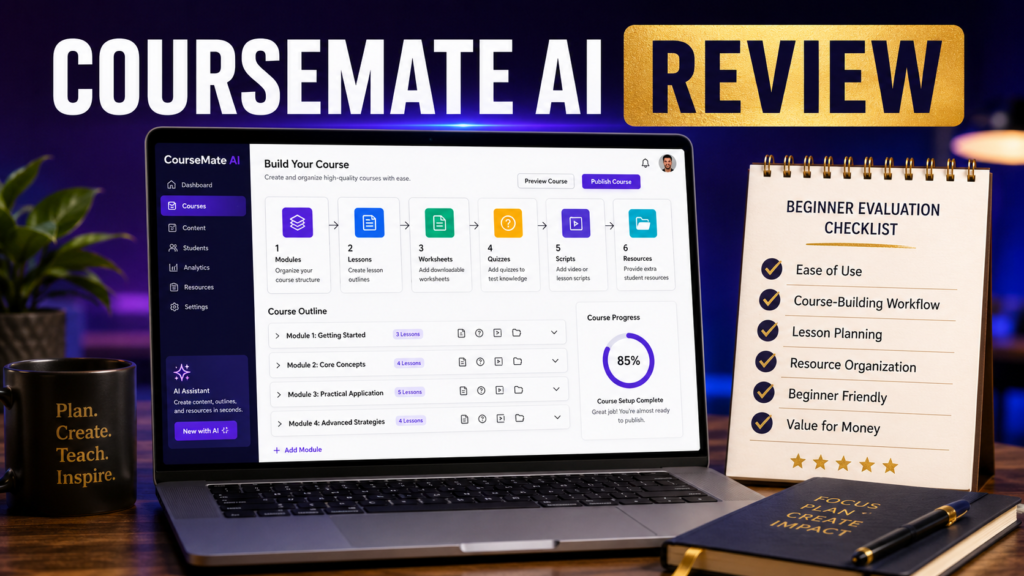
CourseMate AI is intended to help users develop course content with artificial intelligence.
This review examines the possible benefits, limitations, and practical uses of the software for beginners and small online-business owners.
Affiliate Disclosure: This article contains affiliate links. I may earn a commission if you purchase through one of these links, at no additional cost to you. This review does not guarantee that the software will create a successful course or produce specific business results.
What Is CourseMate AI?
CourseMate AI is designed to assist with the creation of online-course materials.
You can review the tool here:
https://links.linkcontroller.com/mikeslinks/courseai
Possible uses may include:
- Course outlines.
- Module planning.
- Lesson development.
- Video scripts.
- Worksheets.
- Quizzes.
- Checklists.
- Student resources.
- Supporting documents.
- Training sequences.
The software may help users move from a broad teaching idea to a more organized educational structure.
Define the Course Outcome First
Before using any course-creation tool, identify the result students should achieve.
“Learn online marketing” is too broad.
A clearer outcome might be:
“Create and publish a five-email beginner welcome sequence.”
The course can then focus on the exact knowledge and actions required to achieve that result.
CourseMate AI may help organize the lessons, but the creator must define the promise.
A course without a clear outcome can become a collection of information rather than a useful learning experience.
Organize the Modules
A logical course sequence usually moves from basic understanding toward application.
For example:
- Understand the purpose of a welcome sequence.
- Define the subscriber.
- Plan the five messages.
- Write each email.
- Set up the automation.
- Test the sequence.
- Review performance.
Each module should prepare the student for the next one.
AI may help identify missing topics or organize the sequence.
The creator should remove unnecessary material that does not support the final outcome.
Develop Complete Lessons
A useful lesson might contain:
- A clear objective.
- A short explanation.
- A demonstration.
- A practical example.
- A student action.
- A summary.
- A supporting resource.
CourseMate AI may help draft these components.
The first draft should be reviewed for accuracy, clarity, repetition, and audience level.
A beginner course should not assume that students understand unfamiliar terms or hidden steps.
Create Supporting Materials
Supporting materials help students apply the lesson.
Examples include:
- Worksheets.
- Checklists.
- Templates.
- Planning pages.
- Quick-reference guides.
- Resource lists.
- Progress trackers.
- Quizzes.
These materials should have a clear purpose.
A worksheet should help the student make a decision.
A checklist should help verify completion.
A template should reduce the difficulty of creating something from the beginning.
Avoid adding resources only to make the course appear larger.
Use Your Experience
AI-generated lessons may provide a useful structure, but your knowledge makes the course distinctive.
Add:
- Personal examples.
- Common beginner mistakes.
- Decisions that require judgment.
- Situations where the advice does not apply.
- Shortcuts that worked.
- Tools you actually use.
- Questions students may ask.
- Troubleshooting guidance.
This information helps the course feel practical rather than generic.
Consider the Recording Process
Course content may be delivered through:
- Presenter videos.
- Screen recordings.
- Audio lessons.
- Written modules.
- Slide presentations.
- Downloadable guides.
- Live sessions.
Choose the format that matches the subject and your abilities.
A course does not need expensive production to be useful. Clear audio, readable visuals, organized lessons, and practical instruction matter more than elaborate effects.
Deliver the Course Reliably
After creating the course, students need organized access.
ProductDyno can help manage digital-product delivery, memberships, protected content, and customer access.
https://links.linkcontroller.com/mikeslinks/productdyno
This may complement CourseMate AI because one tool can support content creation while the other supports delivery.
Test the complete student experience before promoting the course.
Potential Strengths
Faster Course Planning
The software may reduce the time required to create an initial outline and lesson sequence.
Structured Content Development
Guided creation may help users who understand the subject but struggle to organize it.
Supporting Resource Creation
Worksheets, quizzes, checklists, and lesson materials may be easier to develop.
Reduced Blank-Page Pressure
Beginners may find it easier to improve generated material than to create every component without assistance.
Multiple Delivery Formats
Generated content may support video, audio, written lessons, or mixed-format training.
Possible Limitations
Expertise Is Still Required
AI cannot replace real understanding of the subject.
Generated Lessons Need Review
The material may contain repetition, vague explanations, or inaccurate statements.
Course Size Can Become Unmanageable
AI can generate more content than students need.
Student Support Must Be Planned
The creator should decide how questions, technical issues, and access problems will be handled.
Marketing Is Separate
Completing a course does not automatically create demand.
Who May Benefit?
CourseMate AI may be useful for:
- Coaches.
- Consultants.
- Teachers.
- Bloggers.
- Affiliate marketers.
- Digital-product creators.
- Small-business owners.
- Subject-matter experts.
- Beginners creating their first structured training.
It may be less useful for someone who has not selected a clear audience or cannot verify the generated content.
A Practical Creation Process
A responsible workflow might include:
- Define the student.
- Identify the final outcome.
- List the required skills.
- Generate the course structure.
- Remove unnecessary modules.
- Draft one lesson at a time.
- Add personal examples.
- Create supporting materials.
- Test the lessons with another person.
- Set up and test delivery.
This process combines AI speed with human quality control.
Conclusion
CourseMate AI may help simplify online-course creation by organizing ideas into modules, lessons, scripts, worksheets, and supporting educational materials.
Its usefulness depends on the clarity of the course outcome and the creator’s willingness to review, personalize, and test the content.
The software should be viewed as a course-development assistant rather than a complete replacement for teaching expertise.
Choose one skill you can teach clearly, define the exact result a beginner should achieve, and determine whether CourseMate AI can help you organize that knowledge into a practical learning sequence.
#CourseMateAI, #OnlineCourseCreation, #AIToolReview, #DigitalProducts, #TrainingDevelopment, #OnlineBusinessTools