Visual content plays an important role in online marketing.
A clear featured image can help an article appear more professional. A well-designed lead-magnet cover can make a free resource feel more valuable. Social-media graphics can attract attention and reinforce the main message of a post.
The difficulty is that many online-business owners are not trained graphic designers. Beginning every project with a blank canvas can take time and produce inconsistent results.
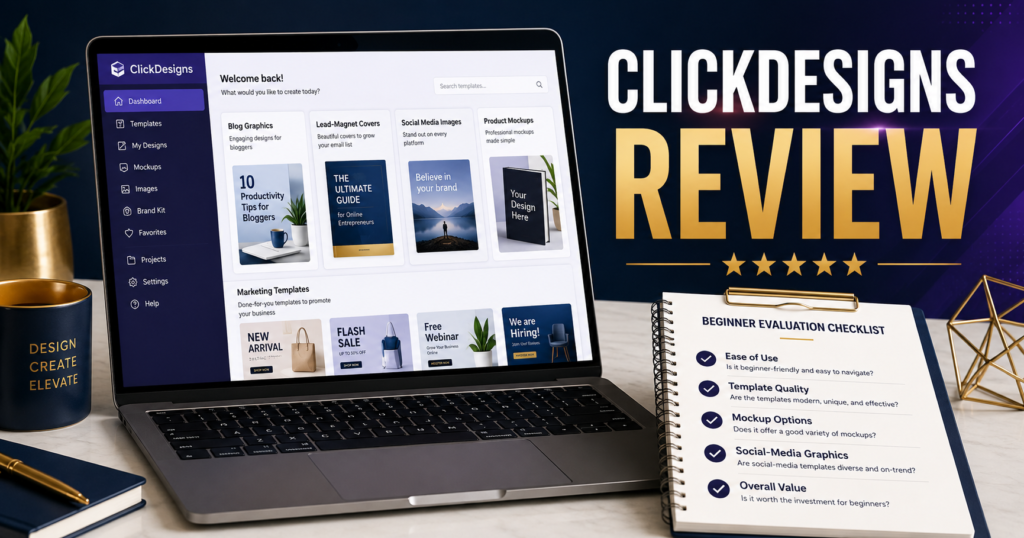
ClickDesigns is a graphic-creation platform designed to help users produce marketing visuals with templates and guided design tools.
This review examines how the software may be used, who may benefit, and what users should consider before purchasing.
Affiliate Disclosure: This article contains affiliate links. I may receive a commission if you purchase through one of these links, at no additional cost to you. This does not affect the educational purpose of the review.
What Is ClickDesigns?
ClickDesigns is an online design tool focused on graphics used in digital marketing and product creation.
You can review ClickDesigns here:
https://links.linkcontroller.com/mikeslinks/clickdesigns
The platform is intended to help users create visual assets such as:
- Blog featured images.
- Social-media graphics.
- Lead-magnet covers.
- Ebook covers.
- Product graphics.
- Website visuals.
- Promotional banners.
- Mockups.
- Marketing images.
Its value is based largely on reducing the need to design every asset from the beginning.
The Problem It Attempts to Solve
Small online-business owners often face two design problems.
The first is lack of experience. They may understand the message but feel uncertain about typography, spacing, layout, image selection, and visual hierarchy.
The second is lack of time. Even users with basic design knowledge may not want to spend several hours creating one graphic.
Templates can provide a starting structure. The user can then change the text, images, colors, and other elements to match the project.
This may make graphic creation more approachable for beginners.
Blog Featured Images
A blog featured image should communicate the subject quickly.
A useful image usually contains:
- One main visual concept.
- A short readable headline.
- Strong contrast.
- Enough empty space.
- A consistent color palette.
- Dimensions suitable for the website.
ClickDesigns may help create repeatable featured-image layouts.
For example, a website owner could develop several approved templates and change only the headline, background image, and supporting elements for each article.
This creates consistency without making every image identical.
Lead-Magnet Covers
A lead magnet may be delivered as a PDF, checklist, guide, worksheet, template, or resource list.
Although the information is most important, the visual presentation affects the reader’s first impression.
A clear cover should display:
- The resource title.
- A simple benefit.
- Appropriate supporting imagery.
- Consistent branding.
- Readable text.
ClickDesigns can help create covers and promotional graphics for these resources.
If you need assistance developing the content before creating the design, LeadMagnet IQ may help organize lead-magnet ideas and commercially usable materials.
https://links.linkcontroller.com/mikeslinks/leadmagnetiq
The two tools serve different purposes. LeadMagnet IQ can support content development, while ClickDesigns can support visual presentation.
Social-Media Graphics
Different social platforms may require different image dimensions and presentation styles.
A Facebook graphic may use a conversational headline.
A LinkedIn image may use a professional statement.
A Pinterest-style graphic may require a taller layout.
A reusable design system can reduce the time required to create these variations.
However, users should avoid placing too much text inside an image. A strong graphic should support the post, not attempt to replace the entire message.
Product Graphics and Mockups
Digital-product sellers often need images that help customers understand what is included.
A product graphic might show:
- An ebook cover.
- A checklist.
- A workbook.
- A video course.
- A resource collection.
- A members’ area.
- Several bonus items.
Mockups can help present digital files in a more understandable format.
Users should avoid creating misleading images. A mockup should accurately represent the product rather than making it appear more extensive than it is.
Potential Strengths
Template-Based Creation
Templates may help users begin more quickly and avoid the uncertainty of a blank canvas.
Marketing-Focused Assets
The platform is designed around common online-business graphics rather than general artistic design.
Consistent Presentation
Saved layouts and repeated design choices may help maintain a recognizable visual style.
Beginner Accessibility
Users without professional design training may find guided customization easier than advanced design software.
Variety of Uses
One tool may support blog images, social graphics, lead magnets, product covers, and promotional assets.
Possible Limitations
Templates Still Require Judgment
A template does not automatically create an effective image.
The user must select readable text, appropriate colors, relevant imagery, and a balanced layout.
Too Many Elements Can Create Clutter
Beginners may be tempted to add several icons, headlines, effects, and images.
Simple designs are often easier to understand.
Branding Must Be Planned
Using random templates without consistent colors, fonts, and style may produce a website that appears disconnected.
The Tool Does Not Create the Marketing Message
The user still needs a clear headline, audience, offer, and desired action.
Good design cannot correct an unclear message.
Who May Find ClickDesigns Useful?
ClickDesigns may be useful for:
- Bloggers.
- Affiliate marketers.
- Ebook creators.
- Course creators.
- Coaches.
- Lead-magnet creators.
- Small-business owners.
- Social-media marketers.
- Users who prefer templates.
It may be less useful for professional designers who need advanced control or for users who already have an established design process they prefer.
A Practical Beginner Workflow
A simple workflow could include:
- Choose the exact asset needed.
- Confirm the correct dimensions.
- Write one short headline.
- Select a relevant template.
- Replace the default imagery.
- Apply consistent brand colors.
- Check text readability.
- Remove unnecessary elements.
- Export the image.
- Review it on the actual platform.
Always view the final graphic at its normal display size.
Text that appears readable while editing may become too small when published.
Conclusion
ClickDesigns may help online-business owners create marketing graphics more quickly by providing templates and tools designed for common digital assets.
Its main advantage is convenience. Users can create blog graphics, lead-magnet covers, social images, and product visuals without beginning every project from an empty page.
The software still requires clear messaging and careful review. A simple, readable design that accurately represents the content is more valuable than an elaborate image filled with effects.
Review the available features and examples, then decide whether ClickDesigns could replace a slow or inconsistent part of your current graphic-creation process.
#ClickDesignsReview, #GraphicDesignTools, #MarketingGraphics, #LeadMagnetDesign, #BloggingTools, #OnlineBusinessSoftware