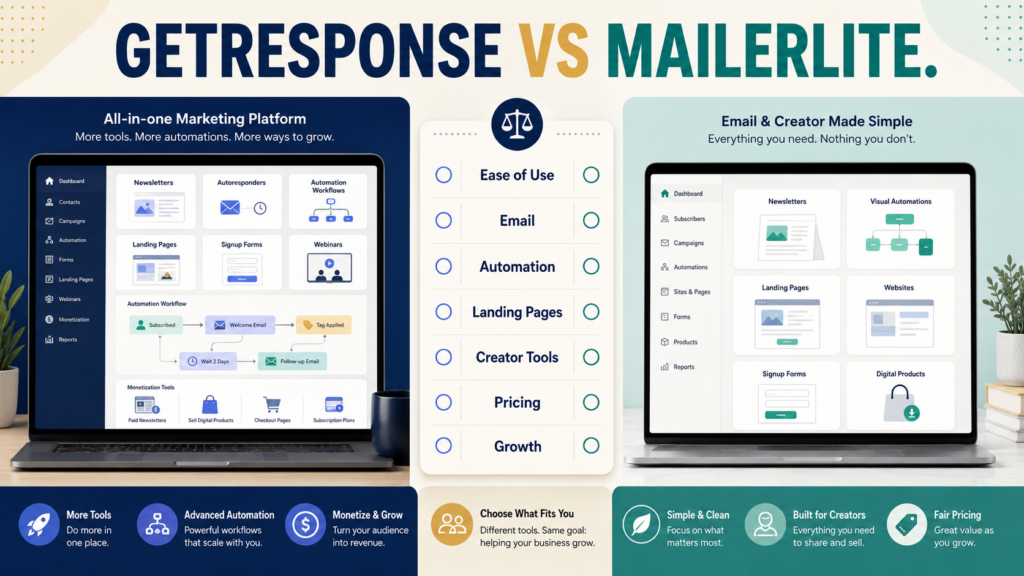
GetResponse and MailerLite can both handle the core email-marketing jobs most small online businesses need:
- Collect subscribers.
- Send newsletters.
- Build automated email sequences.
- Create signup forms.
- Build landing pages.
- Organize an audience.
The difference becomes clearer when you look beyond basic email.
GetResponse currently offers a broader marketing environment with more advanced automation and additional marketing, monetization, webinar, and creator-oriented functionality depending on plan.
MailerLite emphasizes a streamlined email-marketing system that also includes websites, landing pages, visual automations, and digital-product capabilities, with a free entry option for smaller lists.
For a beginner, the best platform is not automatically the one with the most features.
It is the one that handles your actual email workflow without forcing you to manage unnecessary complexity.
Review Methodology: This review is based on official product information, available documentation, and publicly available details reviewed on August 16, 2026. No firsthand product testing or personal experience is claimed.
Key Takeaways
- Both platforms support newsletters, subscriber capture, landing pages, and automation.
- GetResponse provides a broader marketing feature set and more advanced automation capabilities on higher plans.
- MailerLite currently offers a free plan for smaller lists.
- MailerLite combines email with landing pages, websites, and digital-product tools.
- GetResponse may fit better when email is part of a larger automated marketing system.
- MailerLite may fit better when simplicity and a lower-cost entry point are priorities.
- Pricing depends on subscriber count, plan, billing period, and sometimes locale, so verify the current checkout for your actual list size.
Affiliate Disclosure: This article contains affiliate links. If you purchase through one of these links, I may earn a commission at no additional cost to you. Affiliate compensation does not determine the conclusions or recommendations presented in this article.
What Is GetResponse?
GetResponse is an email-marketing and marketing-automation platform.
Its current official plan structure includes Starter, Marketer, and Creator options, with email sending, forms, landing pages, autoresponders, and increasing levels of automation and monetization functionality depending on plan. The official pricing page also currently offers a 14-day trial and adjusts pricing based on list size and billing choices. GetResponse’s current pricing page is the best place to verify the exact offer available to you.
Current GetResponse features also include email creation, autoresponders, marketing automation, integrations, landing pages, and additional business-growth capabilities.
You can explore GetResponse’s current email-marketing and automation features through Michael’s approved affiliate link.
What Is MailerLite?
MailerLite is an email-marketing platform designed around newsletters, subscriber management, forms, websites, landing pages, and visual automation.
Its current pricing page also includes digital-product capabilities and a free option.
As of August 16, 2026, MailerLite’s official pricing page lists a Free plan for up to 250 subscribers with up to 2,500 monthly emails. Its paid plans expand sending, automation, and other capabilities. MailerLite’s current pricing page should be checked before purchasing because limits and prices can change.
That free entry point makes MailerLite especially interesting to a new business that wants to learn email marketing before committing to a larger monthly software expense.
Basic Email Marketing
For ordinary newsletter sending, both platforms can perform the essential job.
A beginner workflow might be:
- Visitor finds a signup form.
- Visitor subscribes.
- Subscriber receives a welcome email.
- Subscriber enters a short sequence.
- Business sends regular newsletters.
- Relevant offers are introduced later.
You do not need advanced enterprise automation to do that.
The decision becomes:
How complicated is the system you expect to build during the next year?
Automation
This is one of GetResponse’s stronger areas.
Its current pricing structure distinguishes between more limited automation on entry-level plans and broader workflow automation on higher tiers.
That matters if your future workflows may include:
- Behavioral segmentation.
- Multiple conditions.
- Branching automation.
- Product-based follow-up.
- More sophisticated subscriber journeys.
MailerLite also provides visual automation, including automation capability on its current plans.
For a simple business, both may be sufficient.
For a more advanced automation strategy, compare the exact workflow features you need—not merely whether the sales page uses the word “automation.”
Landing Pages and Forms
Both platforms can help you collect subscribers without purchasing a separate landing-page platform for every campaign.
That can simplify a beginner stack.
Examples:
- Lead-magnet signup page.
- Newsletter subscription page.
- Webinar registration.
- Waitlist.
- Product-interest form.
The practical comparison is not simply:
Does the feature exist?
Ask:
- Is it included in my plan?
- Are there page limits?
- Can I use my domain?
- Does it integrate naturally with the email list?
- Is the editor easy enough for me?
- Do I still need another website builder?
MailerLite’s Creator-Friendly Simplicity
MailerLite’s current plans combine email with landing pages, sites, automation, and digital-product features.
That can make it appealing to:
- Bloggers.
- Newsletter creators.
- Ebook creators.
- Small digital-product sellers.
- Solopreneurs.
- Beginners building one lead magnet.
If your business primarily needs:
Signup → Welcome → Newsletter → Occasional Offer
a streamlined system may be more valuable than advanced functionality you never use.
GetResponse’s Broader Marketing Environment
GetResponse extends beyond simple newsletters.
Depending on the selected plan, its current platform includes capabilities related to marketing automation, lead capture, monetization, webinars, and creator-oriented tools.
That can reduce the need for separate tools if you genuinely use those capabilities.
The tradeoff is that broader software usually requires more decisions.
A beginner should ask:
Am I buying features because my business needs them, or because the feature list looks impressive?
Pricing
Direct price comparisons are difficult because both services adjust pricing based on factors such as:
- Subscriber count.
- Plan.
- Billing frequency.
- Promotional terms.
- Included capabilities.
MailerLite currently offers the free entry level noted above.
GetResponse’s official pricing page currently shows its plan structure and trial but may display pricing according to visitor location or currency.
For a meaningful comparison:
- Enter your current subscriber count.
- Choose the features you actually need.
- Compare monthly and annual billing.
- Look at the price at your expected next list milestone.
- Calculate the cost of other software each platform could replace.
Which Is Better for a Brand-New List?
A user with:
- Zero to a few hundred subscribers.
- One lead magnet.
- One welcome sequence.
- One newsletter.
may find MailerLite’s free entry point attractive.
The bigger question is whether the platform still fits when the business grows.
Do not migrate preemptively because you might someday have 50,000 subscribers.
Solve today’s problem while keeping reasonable room for tomorrow.
Which Is Better for Marketing Automation?
GetResponse deserves particularly close consideration when automation is a major part of your planned system.
For example:
Subscriber downloads lead magnet A → receives sequence A → clicks product topic → moves into relevant follow-up → receives offer → exits promotional sequence after purchase
A more advanced marketing system can benefit from stronger automation controls.
However, a beginner with a three-email sequence should not pay for complexity simply to own complexity.
Which Is Better for Digital-Product Creators?
Both can support parts of a digital-product business.
MailerLite currently includes digital-product functionality in its broader platform.
GetResponse has expanded beyond traditional email toward creator and monetization functionality on relevant plans.
Before choosing, map your complete system:
- Product creation.
- Checkout.
- Delivery.
- Email.
- Landing pages.
- Course hosting if applicable.
- Customer support.
Your email platform does not necessarily need to perform every job.
Existing GetResponse Coverage
If GetResponse itself is the platform you are investigating, MichaelELeeReviews has a separate GetResponse review for beginners that looks at it independently rather than through a comparison.
There is also a verified GetResponse vs. AWeber comparison for beginners if AWeber is another platform on your shortlist.
Run a Real Trial Test
Do not spend the trial clicking randomly through menus.
Create one real workflow:
- Create a list.
- Build a signup form.
- Create a landing page.
- Write three welcome emails.
- Build the automation.
- Subscribe with your own test email.
- Check the emails.
- Unsubscribe.
- Examine reports.
- Record anything that confused you.
MichaelELeeReviews’ guide to evaluating a software free trial before you pay provides a structured way to test software against your actual work.
Who Should Consider GetResponse?
GetResponse may fit better when:
- You expect automation to become important.
- You want a broader marketing platform.
- You need more advanced subscriber journeys.
- You value a larger connected marketing toolkit.
- You want room to expand beyond basic newsletters.
- The relevant plan fits your budget.
Who Should Consider MailerLite?
MailerLite may fit better when:
- Your email needs are relatively straightforward.
- You want a lower-cost entry point.
- You value an uncluttered creator-focused workflow.
- You need newsletters, forms, landing pages, and basic automation.
- You want website or digital-product functionality included.
- You prefer starting small.
Final Verdict
Choose GetResponse when you want email marketing to grow into a broader automation and marketing system and expect to use the additional capabilities.
Choose MailerLite when your priority is a streamlined, beginner-friendly email system with a free entry option and useful creator tools.
Neither choice should be based solely on the cheapest monthly number.
Compare the complete workflow at your current subscriber count and at the next realistic stage of growth.
Conclusion
GetResponse and MailerLite both provide the essential building blocks of email marketing, but their strengths point toward somewhat different users.
GetResponse is the stronger candidate for a business expecting broader automation and marketing functionality.
MailerLite is particularly attractive for a beginner who values simplicity and a low-cost starting point.
Before paying for either, build the same small test in both platforms: one form, one landing page, three welcome emails, and one automation.
The platform that makes that real workflow easiest to understand and maintain is likely the better first choice.