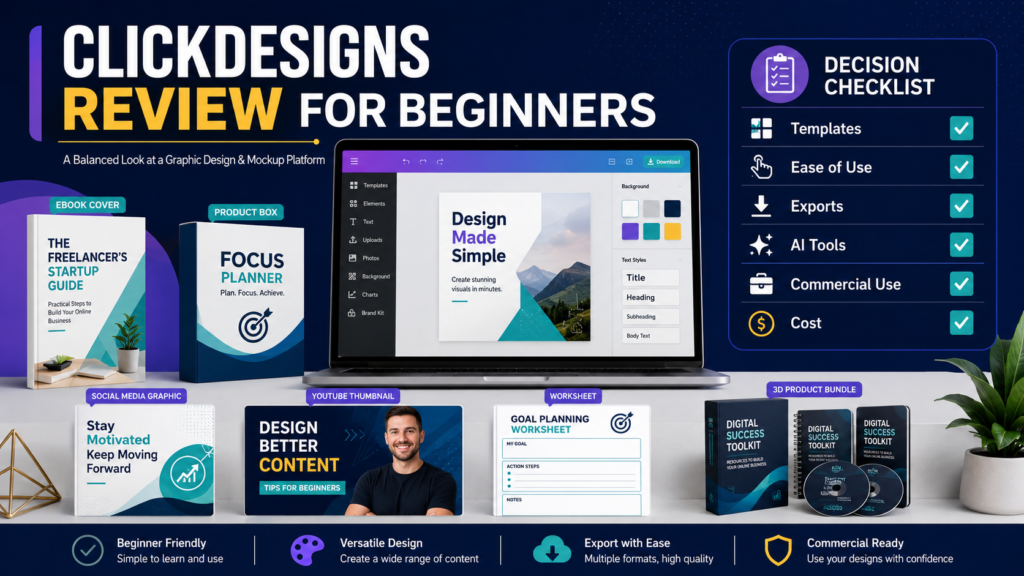
ClickDesigns is an online graphic-design platform focused on marketing graphics, digital-product covers, mockups, product bundles, social-media content, webpages, and related visual assets.
It may appeal to ebook creators, affiliate marketers, online-course sellers, and small-business owners who need more than ordinary social-media templates.
Its strongest differentiator is its focus on product presentation, including book covers, boxshots, device mockups, 3D designs, bundles, and sales-funnel graphics.
However, the higher-level features vary by plan, and beginners should compare those differences carefully before subscribing.
Review Methodology: This review is based on ClickDesigns’ official website, current pricing page, signup information, and support documentation reviewed on July 30, 2026. No firsthand testing or personal product experience is claimed.
Affiliate Disclosure: This article contains affiliate links. If you purchase through one of these links, I may earn a commission at no additional cost to you. Affiliate compensation does not determine the conclusions or recommendations presented in this article.
Quick Verdict
ClickDesigns may be worth considering when you regularly create:
- Ebook covers
- Digital-product mockups
- Product bundles
- YouTube thumbnails
- Blog graphics
- Social-media posts
- Sales-funnel graphics
- Worksheets
- Checklists
- Print-ready marketing materials
It may be unnecessary when you:
- Need only occasional simple graphics
- Already use another design platform successfully
- Do not create digital-product mockups
- Prefer hiring a designer
- Need advanced professional illustration software
- Do not want another subscription
What Is ClickDesigns?
ClickDesigns describes itself as a platform for creating professional graphics, designs, mockups, covers, and marketing assets without requiring advanced design experience.
Its template categories currently include webpages, logos, boxshots, book covers, sales-funnel graphics, device mockups, product bundles, product packaging, thumbnails, and social-media content.
The platform uses a drag-and-drop editor and allows users to upload their own content, customize templates, save designs, and export finished files.
You can review the current ClickDesigns plans.
Main Design Features
Templates
Templates provide a starting layout for common marketing projects.
The platform currently advertises templates for:
- Book covers
- Reports
- Magazines
- Product boxes
- Digital devices
- Product bundles
- Social media
- Video thumbnails
- Marketing banners
- Business print materials
- Product packaging
The number and type of templates available may depend on the plan.
Drag-and-Drop Editing
A drag-and-drop editor may help users adjust:
- Text
- Images
- Shapes
- Backgrounds
- Layouts
- Product images
- Branding elements
Ease of use should still be tested through an actual project.
A template editor may be simple to understand while good design decisions still require time and judgment.
Covers and Mockups
ClickDesigns places substantial emphasis on digital-product presentation.
Depending on the plan, the platform supports flat, 2D, and 3D covers and mockups for:
- Books
- Reports
- Software boxes
- Digital devices
- Product sets
- Packages
- Bundles
The Pro and Expert plans currently include broader 3D capabilities than Standard.
AI-Assisted Tools
The current pricing page lists more than 35 AI tools, including functions described as:
- Background removal
- Generative fill
- Background replacement
- Photo colorization
- Face cutout
- AI product photography
- AI photo editing
- AI find and replace
Usage allowances currently differ by plan:
- Standard: 100 AI uses per month
- Pro: 500 AI uses per month
- Expert: 1,000 AI uses per month
These figures are shown on the current pricing page and may change.
A buyer should determine which AI features are actually necessary rather than selecting a plan based only on the number of tools.
Export Formats
The current feature comparison lists different export options by plan.
Standard includes common static formats, while Pro and Expert include additional animated, video, and document formats such as GIF, WebM, MP4, and PDF. The pricing page also lists print-ready CMYK and 300-DPI exports.
Check the required format before choosing a plan.
For example:
- Blog image: JPEG or WebP
- Transparent graphic: PNG
- Printable worksheet: PDF
- Animated asset: GIF or WebM
- Video mockup: MP4
Social-Media Tools
The Pro and Expert descriptions currently include social-content planning, posting, and scheduling capabilities.
The feature comparison lists different numbers of connected social or YouTube accounts by plan.
A creator who already uses another scheduling tool should decide whether this duplication provides enough value.
Current Pricing
At the time of this review, the ClickDesigns pricing page displayed promotional monthly rates of:
- Standard: $20 per month
- Pro: $30 per month
- Expert: $49 per month
The annual options were displayed as effective monthly rates of:
- Standard: $15 per month billed annually
- Pro: $24 per month billed annually
- Expert: $42 per month billed annually
The page identifies these as discounted rates, so verify the current price before subscribing.
ClickDesigns also advertises a free signup option without requiring a credit card on its current pricing page.
Comparing the Plans
Standard
The current Standard plan includes:
- 50 projects
- Unlimited designs and downloads
- Static export formats
- Print-ready exports
- Designer-made templates
- 100 monthly AI uses
- Flat and 2D cover and mockup templates
- 2D product bundles
- Stock assets
- 10GB of cloud storage
- Commercial use
This plan may fit beginners who primarily create static images and basic product graphics.
Pro
The current Pro plan expands to:
- 100 projects
- Additional export formats
- Premium templates
- 500 monthly AI uses
- 3D cover and mockup tools
- Product bundles and sets
- Social-content planning
- Larger stock-asset access
- 100GB of storage
- Commercial use
This may be the better fit for active digital-product creators.
Expert
The current Expert plan lists:
- Unlimited projects
- 1,000 monthly AI uses
- Additional 3D and video capabilities
- Real-time design hosting and editing
- Larger stock access
- 1TB of storage
- Commercial use
- Expanded social-account support
The Expert plan may be unnecessary for a beginner who does not use the advanced publishing and mockup features.
Commercial Use
The current plan comparison lists commercial use across Standard, Pro, and Expert.
Commercial use does not necessarily mean that every asset can be resold in every possible form.
Before creating client products, templates for resale, or downloadable design assets, review the current terms governing:
- Stock images
- Templates
- Fonts
- Client work
- Resale
- Editable files
- Team access
- AI-generated assets
Keep a copy of the applicable license when your business depends on it.
The Separate Commercial Offer
ClickDesigns’ support documentation explains that a separate one-time ClickDesigns Commercial offer is a limited standalone version focused on basic assets such as boxshots, reports, book covers, and group-shot device mockups.
The same documentation states that optional products may be presented after purchase, including ClickDesigns Maximizer, ClickMockups, Design Pages, and ClickDesigns Agency.
Buyers should not assume that a one-time Commercial purchase includes every feature shown in the subscription plans.
Practical Use Case: Ebook Product Package
Suppose an ebook creator needs:
- Front cover
- 3D book mockup
- Product bundle graphic
- Sales-page image
- Social-media announcement
- YouTube thumbnail
- Printable worksheet cover
ClickDesigns may allow these assets to be created within one visual system.
The creator should still check:
- Brand consistency
- Text readability
- Image licensing
- Export quality
- Mobile display
- Whether the graphics accurately represent the product
Templates improve speed but do not guarantee effective design.
Advantages
Digital-Product Focus
The platform provides specialized product covers, mockups, bundles, and device presentations.
Multiple Design Types
It supports web, print, social, product, and video-related assets.
Commercial Use
The current subscription plans list commercial-use rights.
AI-Assisted Editing
AI tools may reduce time spent on background and image-editing tasks.
Scalable Plans
Different plans support different project volumes and advanced features.
Limitations
Plan Comparison Requires Care
Important 3D, video, AI, storage, and publishing features vary by plan.
Subscription Cost
The cost may be unnecessary for users who create only occasional graphics.
Templates Still Require Judgment
Poor font choices, crowded layouts, and unclear visual hierarchy can still produce weak graphics.
Separate Offers May Cause Confusion
The one-time Commercial version differs from the main subscription plans.
Advanced Design Needs May Require Other Software
Professional illustrators and designers may need more specialized control.
Who Should Consider ClickDesigns?
ClickDesigns may fit:
- Ebook publishers
- Course creators
- Affiliate marketers
- Digital-product sellers
- Bloggers
- YouTube creators
- Small-business owners
- Agencies that confirm appropriate licensing
Who May Not Need It?
You may not need ClickDesigns when:
- You create only a few basic images.
- Another design tool already meets your needs.
- You do not need product mockups.
- You prefer professionally custom-designed branding.
- The subscription would not save enough time.
A Beginner Evaluation Checklist
- List the five graphics you create most often.
- Identify the required export formats.
- Decide whether 3D mockups are necessary.
- Estimate monthly AI-tool use.
- Review commercial-use terms.
- Compare monthly and annual billing.
- Create a free test design.
- Check mobile and desktop readability.
- Export the required file type.
- Select the lowest plan that meets the real need.
Final Verdict
ClickDesigns provides a broad collection of tools for marketing graphics, digital-product covers, mockups, bundles, social content, and print-ready designs.
Its strongest value is likely for creators who regularly need polished product-presentation assets.
Beginners who need only simple blog or social graphics may find the Standard plan sufficient or may not need a separate platform. Active digital-product publishers may receive more value from Pro or Expert features.
Conclusion
ClickDesigns can help online-business owners create covers, mockups, product bundles, thumbnails, worksheets, and marketing graphics from one platform.
The best plan depends on project limits, export formats, 3D needs, AI usage, storage, and social-publishing requirements.
Create one representative project through the available free option and confirm the required features before selecting a paid plan.